v0.6.0 — The editor grows up
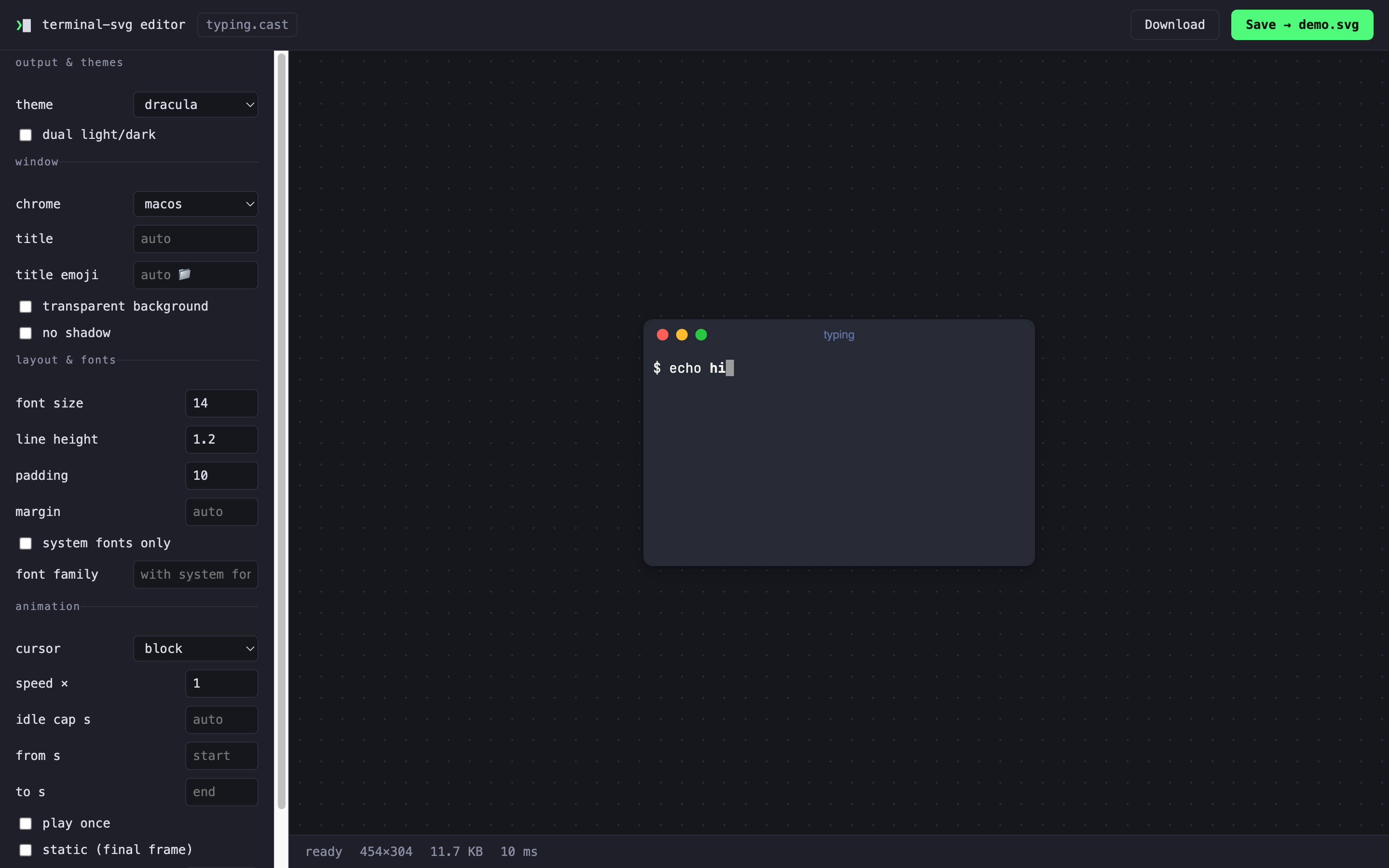
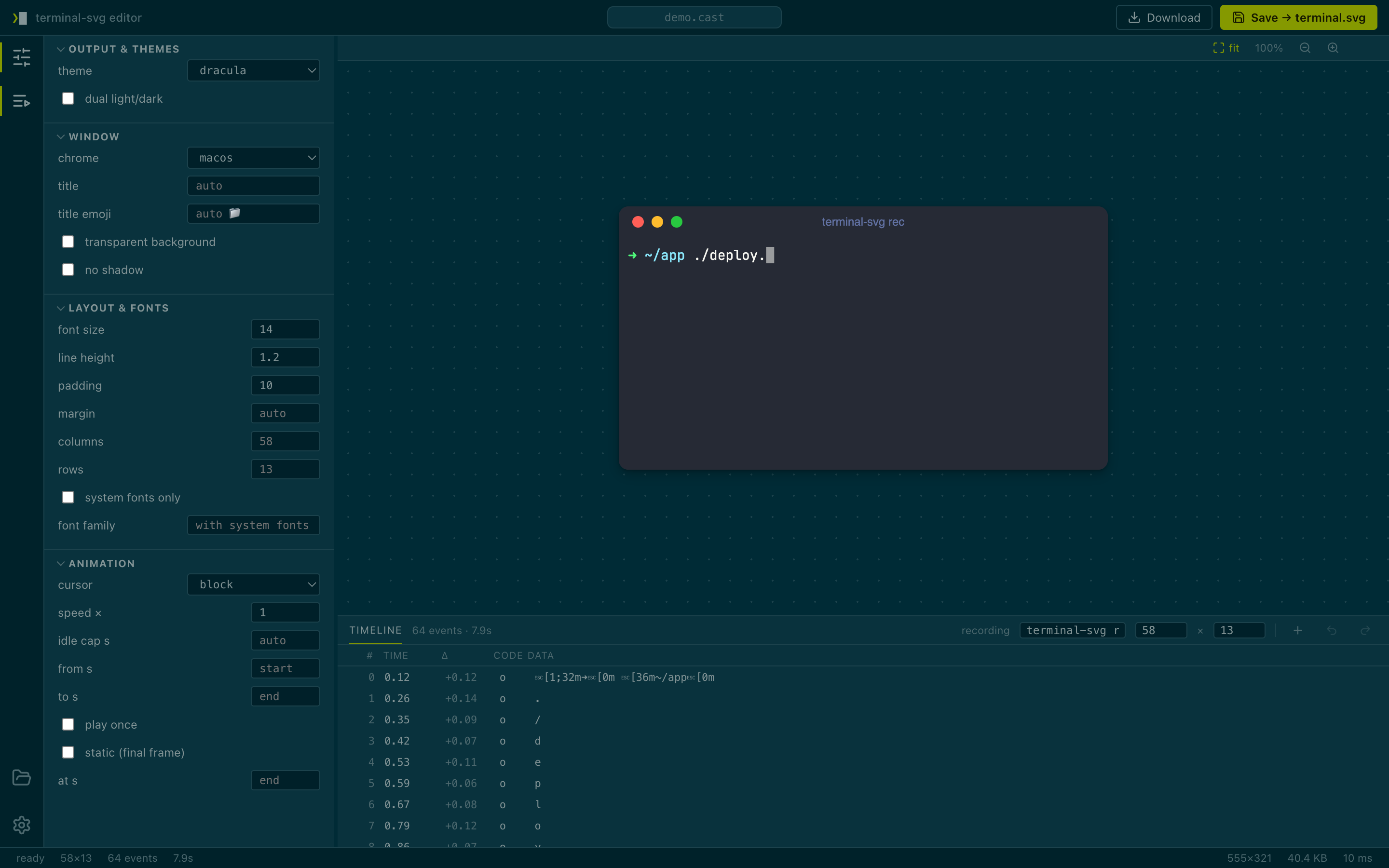
Record it, then fix it. The visual editor is now a proper little IDE for your recordings: a timeline panel edits the cast itself — retype a flubbed command, retime a pause, delete a stray event — and the saved SVG embeds the edited recording, so extract hands your fixes back. Recorded with the terminal too big? --cols/--rows now resize a cast after the fact, replaying it through a different-sized terminal exactly as a real resize would. And the whole editor dresses itself in the built-in themes — solarized by default, or any of the nine, independent of what the SVG wears.
Highlights
- Timeline editing — the bottom panel lists every event in the recording (control characters shown as
␛␍␊pictures or\e\r\nescapes, your pick). Click a row and the preview scrubs to that exact moment; edit its time, code, or text (with\e \r \n \t \\ \xNNescapes), insert, duplicate, delete, or reorder — with undo/redo (⌘Z/⇧⌘Z) and a dirty dot on the file chip. Edits rewrite the recording server-side, so Download and Save embed the edited cast andterminal-svg extractrecovers it; an untouched session still round-trips the original bytes exactly. v2 stays v2, v3 stays v3. - Resize after recording —
-c/--colsand-r/--rowsnow apply to.castinputs, replaying the recording through a different-sized grid (recorded resize events still apply, so the canvas never shrinks below the largest grid the recording uses). The override embeds in the SVG's metadata and survives re-renders. In the editor, the sidebar columns/rows are the same non-destructive override — the recording's own size shows as the placeholder — while the timeline's recording fields rewrite the header for keeps. - An IDE, properly — activity bar, resizable sidebar and panel, command-center file pill, uppercase collapsible sections, Lucide icons, slim status bar with grid/events/duration readouts, and preview zoom (
fit/100%/±,⌘0⌘1⌘±,ctrl+wheel, drag to pan). A settings view (gear icon) themes the editor chrome with any built-in theme —solarized-darkout of the box, or "follow preview" — plus stage background, default zoom, and timeline preferences, persisted in the browser.
Rendering is unchanged: existing invocations produce the same SVGs, and the CLI's default theme is still dracula. The editor's /api/state payload changed shape (themes now carry their colors), which only matters if you were scripting against it.
Install
brew install russmckendrick/tap/terminal-svg # or: brew upgrade terminal-svg
Or grab a binary below (macOS arm64/amd64, Linux arm64/amd64, Windows amd64 — each with a SHA-256 checksum). rec is macOS/Linux only for now; rendering .cast files works everywhere.
Quick start
# recorded at 132 columns, want it narrower — no re-recording
terminal-svg demo.cast -c 80 -o demo.svg

# open the editor: scrub the timeline, fix the typo, save
terminal-svg editor demo.cast

# the saved SVG carries the edited recording
terminal-svg extract terminal.svg -o fixed.cast
Docs: README · CLI reference · theme format · how it works
Bundled JetBrainsMono Nerd Font faces are under the SIL OFL; the code is MIT.
Full Changelog: https://github.com/russmckendrick/terminal-svg/compare/v0.5.0...v0.6.0